Project Management
The project management interface allows you to manage redirects, pages, and monitor agents for a specific project.
Access it by selecting a namespace and project from the project switcher, or via URL: /:namespace/:project/
Navigation
The sidebar provides access to:
- Dashboard - Project overview and statistics
- Redirects - Manage HTTP redirections
- Redirect Tester - Test redirect rules
- Pages - Manage static pages
- Agent Status - Monitor connected agents
- Activity - Who changed what in this project
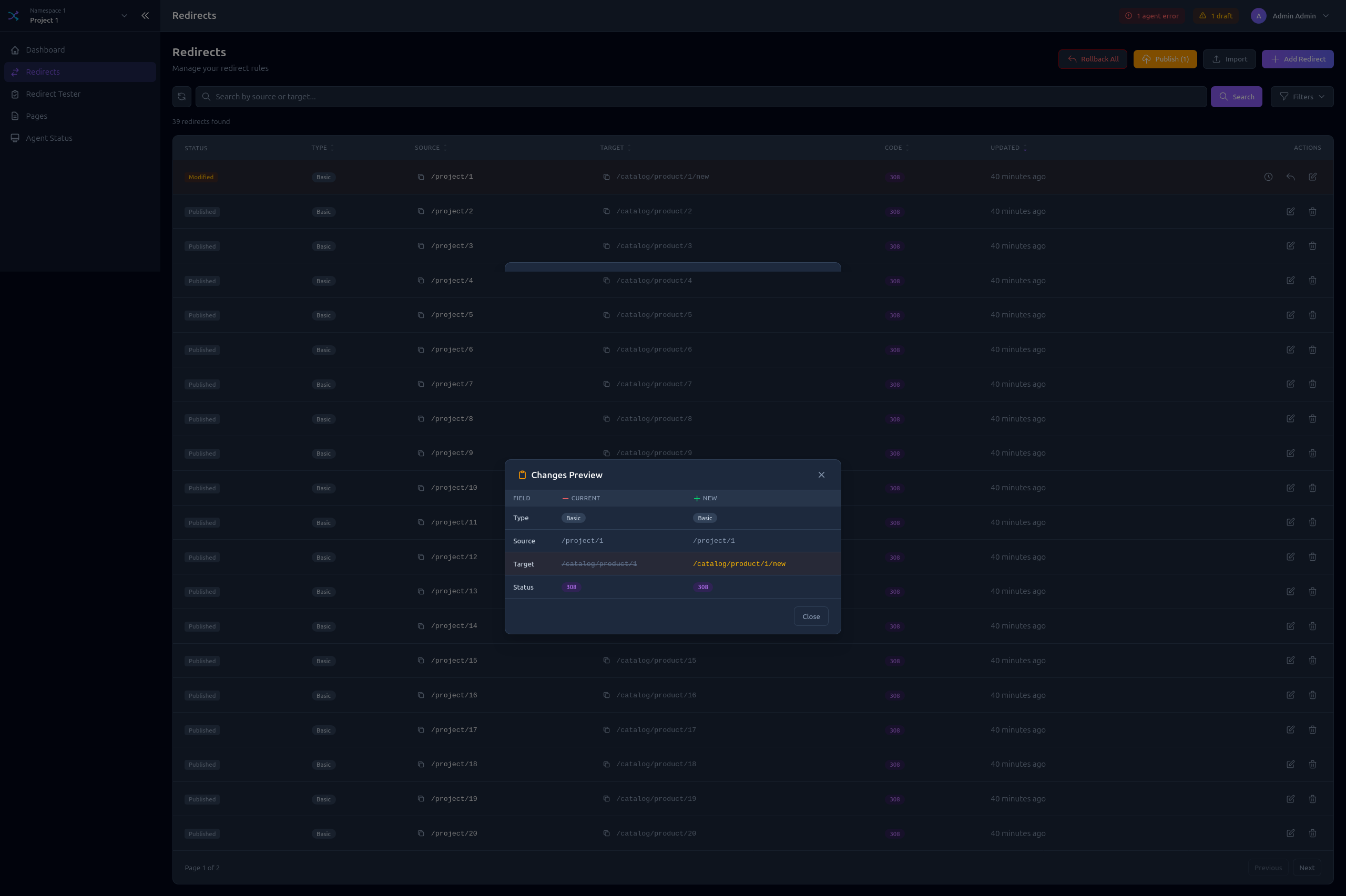
Dashboard
The project dashboard shows an overview of your project with key metrics:
- Total redirects (published/drafts)
- Total pages (published/drafts)
- Connected agents status
- Recent activity - the latest entries of the activity journal, with a link to the full page
Redirects
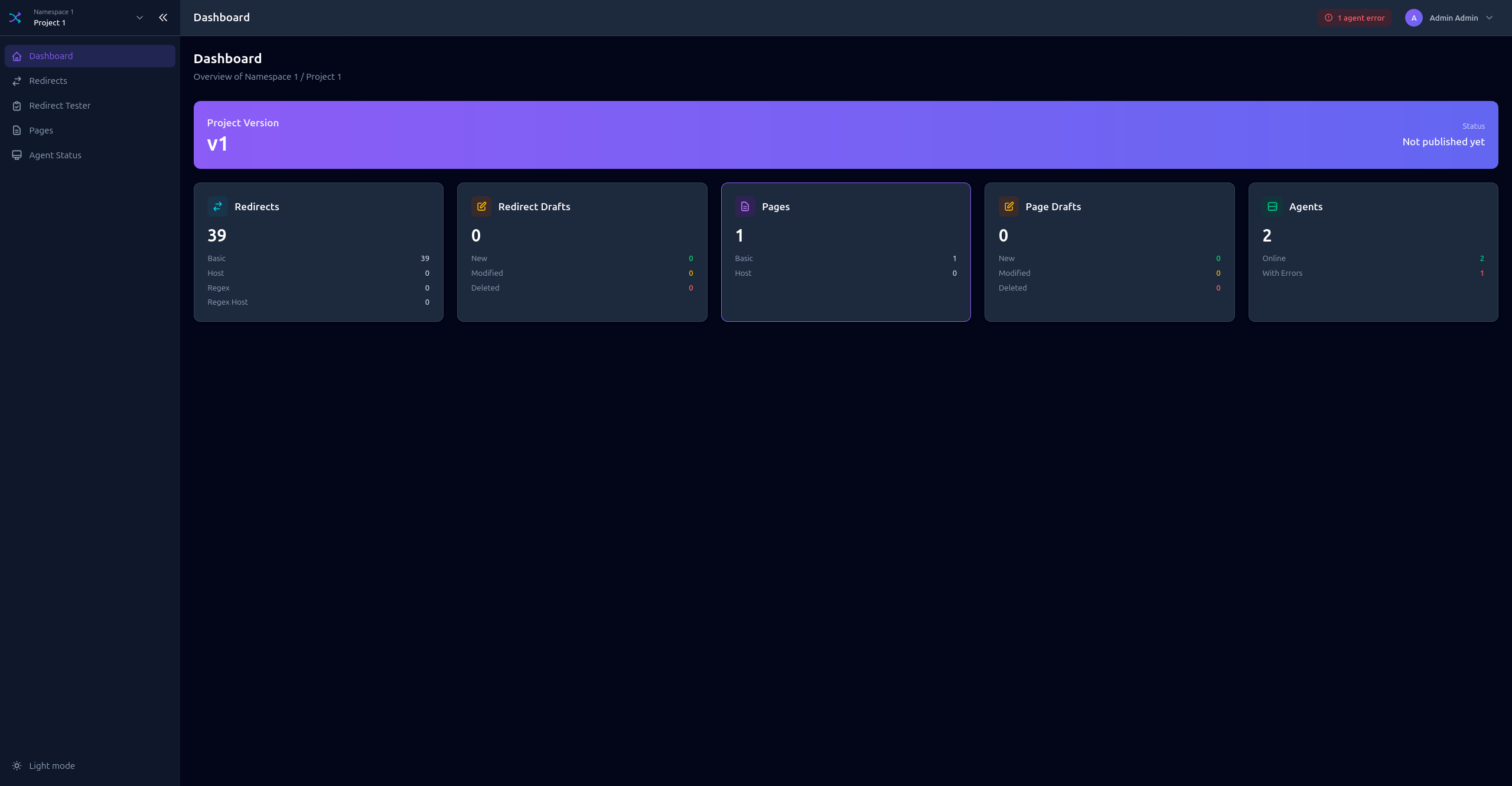
Redirects List
View all redirects with filtering and search capabilities.
Features:
- Search by source or target
- Filter by type (BASIC, BASIC_HOST, REGEX, REGEX_HOST)
- Filter by status code
- Sort by columns
- View draft changes
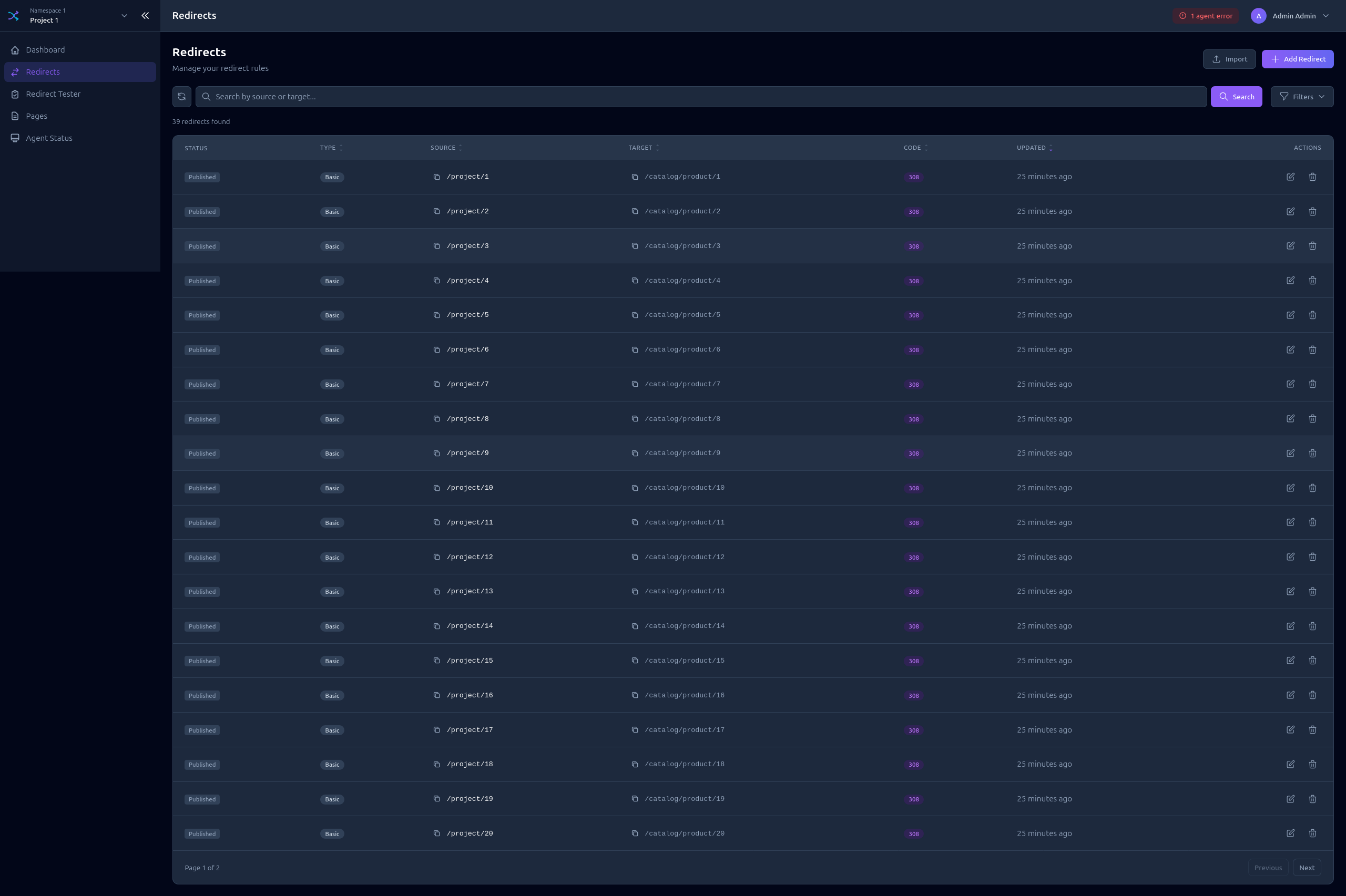
Creating a Redirect
Click Add Redirect to open the form:
- Select the redirect Type
- Enter the Source path or pattern
- Enter the Target URL
- Select the Status code (301, 302, 307, 308)
Bulk Import
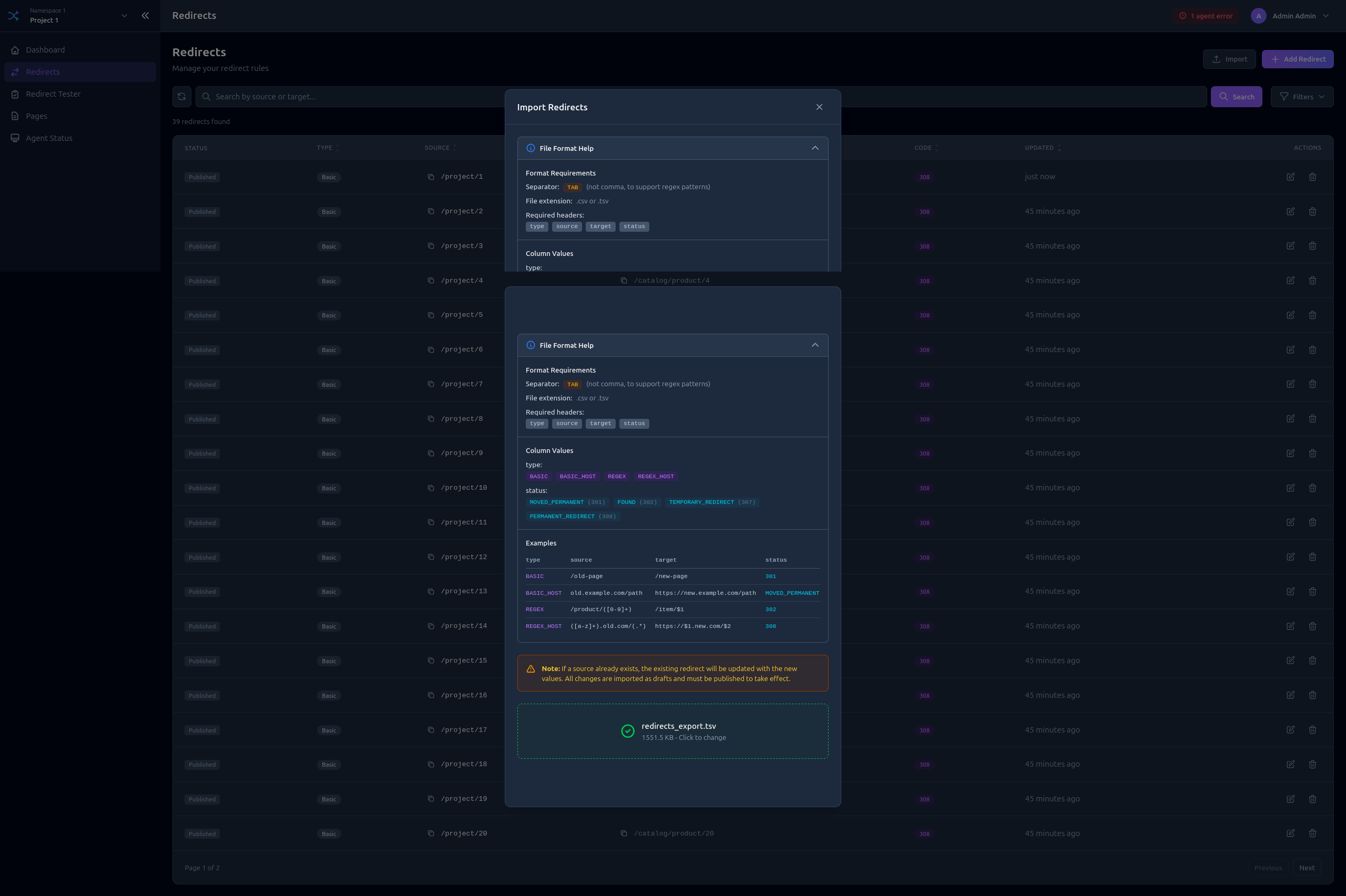
Import multiple redirects from a TSV file:
- Click Import
- Select your
.tsvor.csvfile - Choose whether to Overwrite existing redirects
- Review the import preview
- Confirm import
Redirect Tester
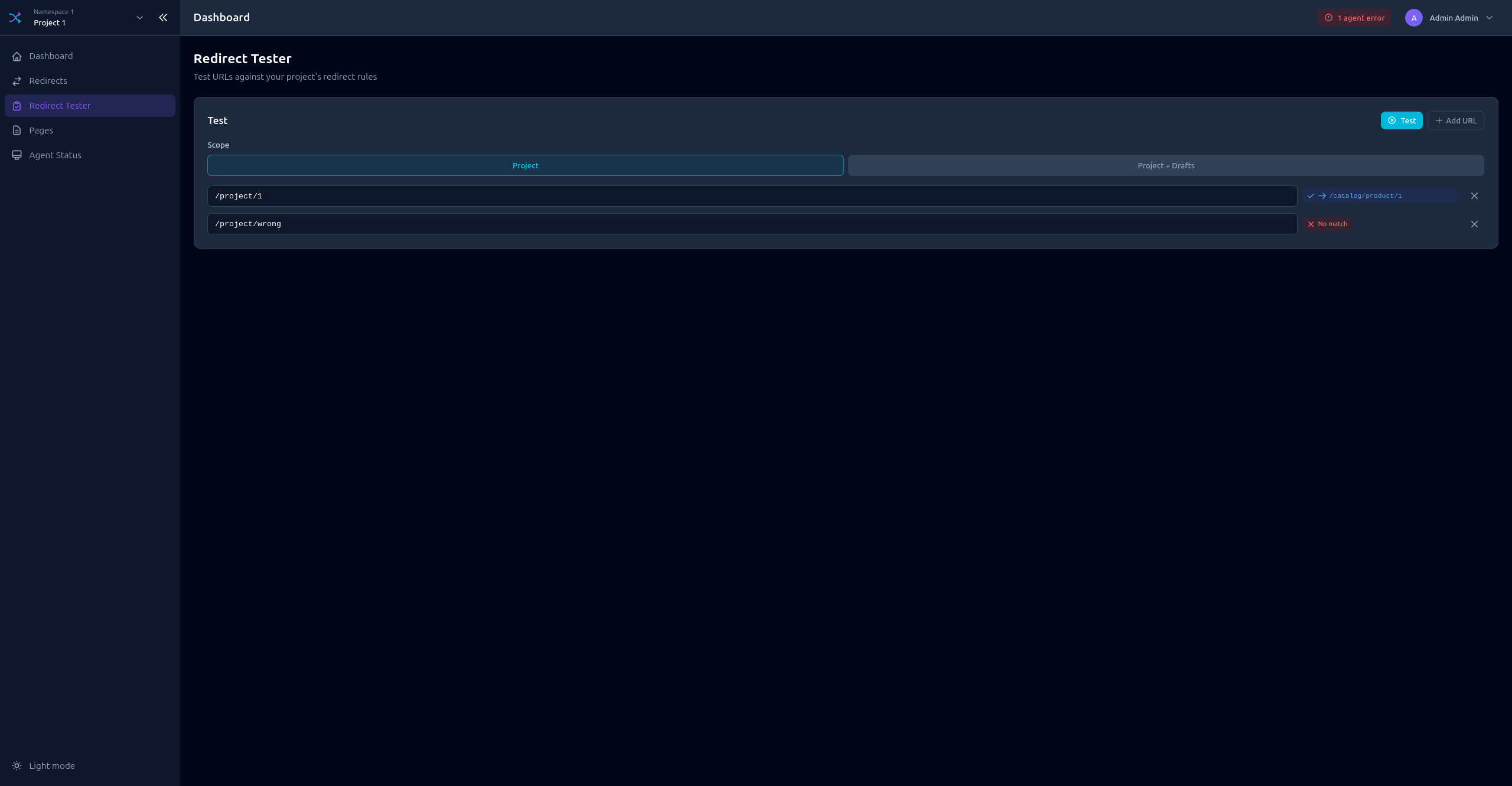
Test your redirect rules before publishing:
- Enter a Host and URI to test
- Click Test
- See which redirect rule matches (if any)
- View the resulting redirect target and status
Pages
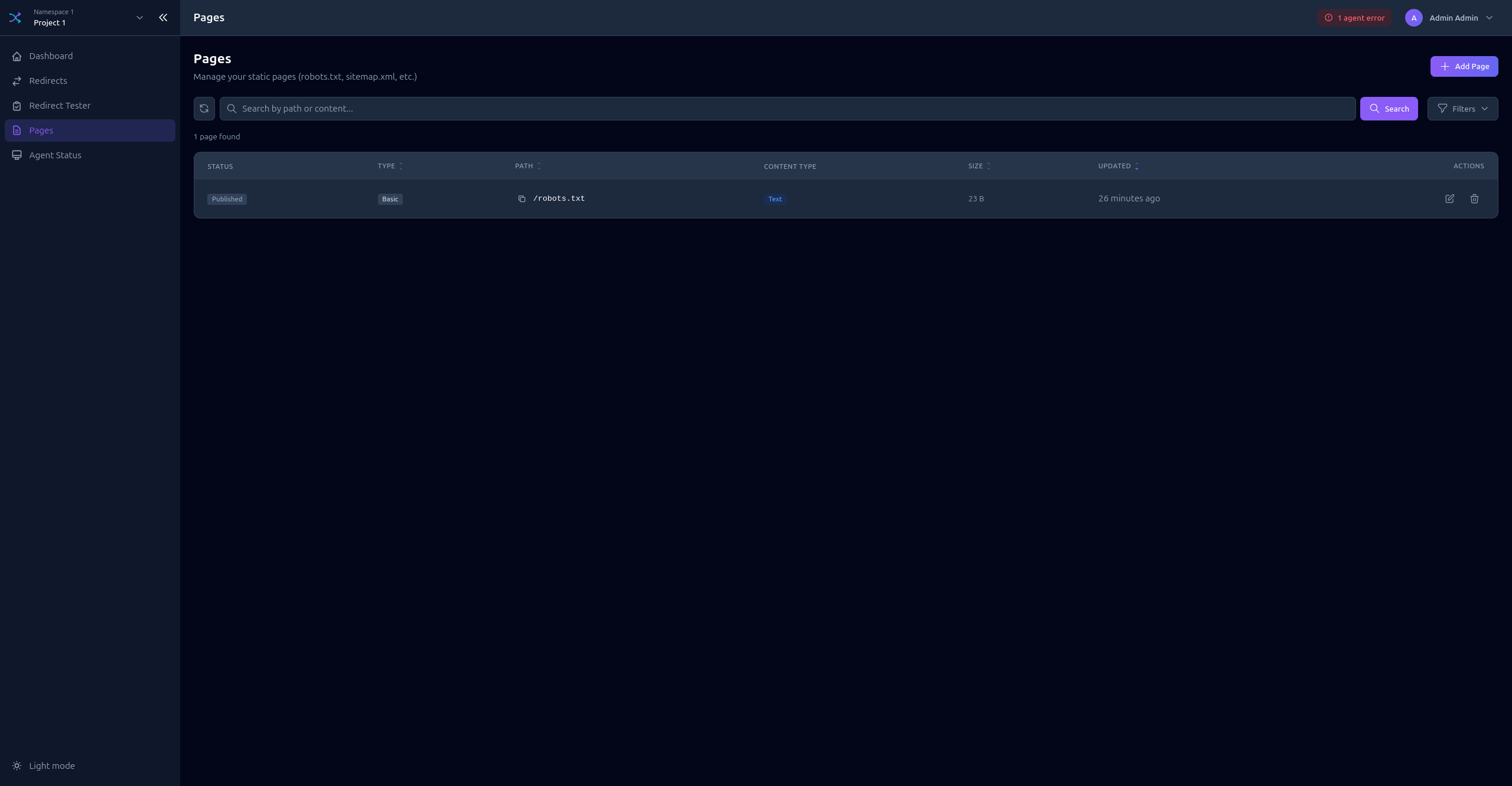
Pages List
View all static pages in the project.
Creating a Page
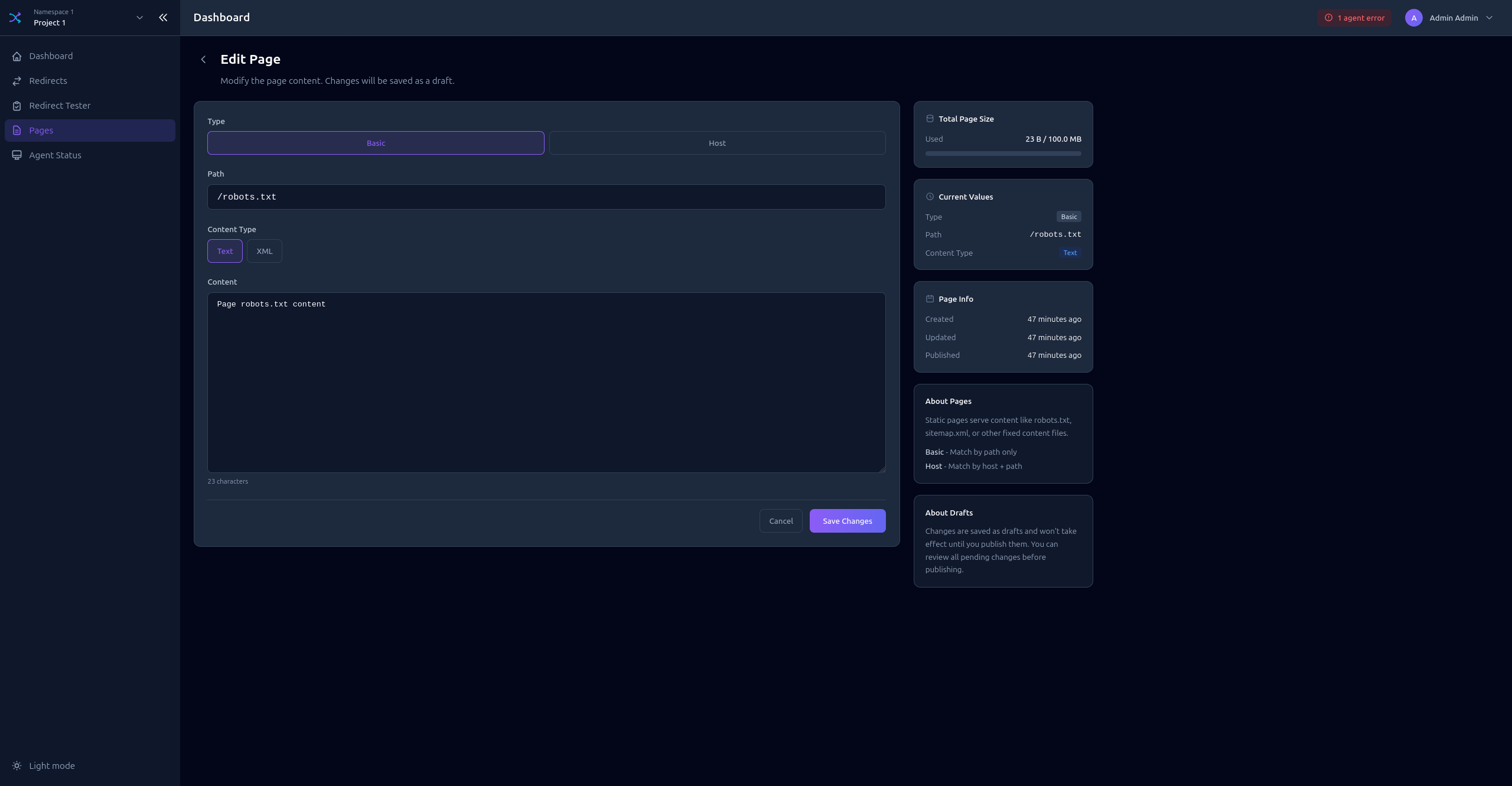
Click Add Page to open the form:
- Select the page Type (BASIC, BASIC_HOST)
- Enter the Path
- Select the Content Type (TEXT_PLAIN, XML)
- Enter the Content
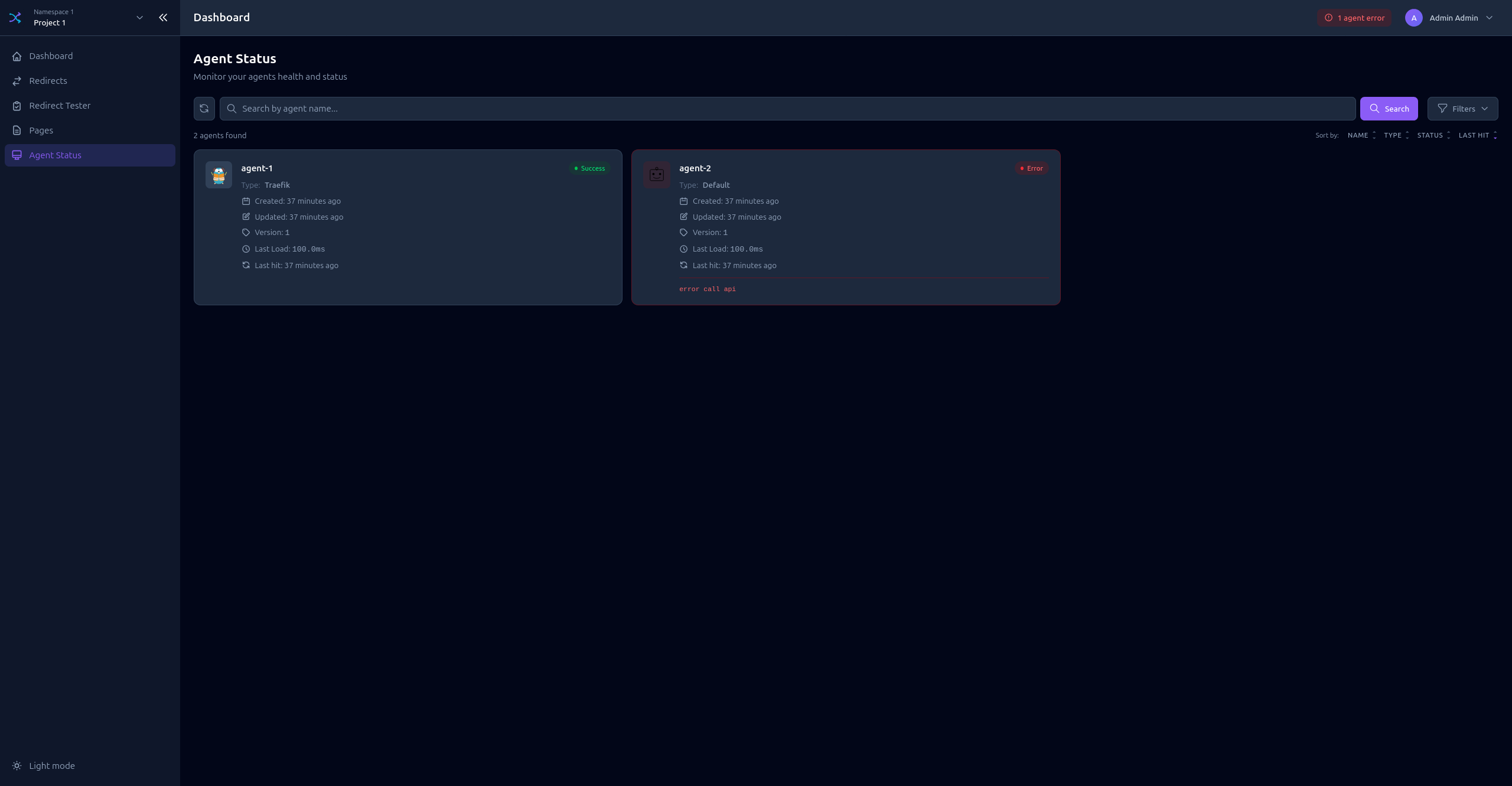
Agent Status
Monitor agents connected to this project:
- Online agents (synced recently)
- Offline agents (no sync within threshold)
- Agent name, type, and version
- Last sync timestamp
Activity
The activity page lists who changed what in this project, most recent first: created, modified and deleted redirects and pages, imports, discarded changes and publishes.
Each row shows when it happened, who did it, the resource and action, and a one-line
detail. A modification shows only the fields that changed, as field: before -> after.
- Filters - Narrow by resource, action, or exact actor name
- View changes - When a line is too long to fit, or carries more than a line can hold such as import errors, a button opens the full detail in a modal
- API tokens - A change made through an API token is marked with a
TOKENbadge next to the token name
Read access to any resource of the project is enough to see the journal. Entries are purged automatically once a project exceeds its configured cap, so the journal is a recent history rather than a permanent record — see Activity Journal for what is kept and for how long.
Draft System
All changes are saved as drafts before publishing.
Draft States
| Indicator | State | Description |
|---|---|---|
| Green | Published | Live configuration, no pending changes |
| Yellow | Modified | Has unpublished changes |
| Blue | New | Created but not yet published |
| Red | Deleted | Marked for deletion |
Publishing Changes
- Publish All - Apply all pending changes at once
- Publish Individual - Publish specific items
- Discard - Revert draft changes
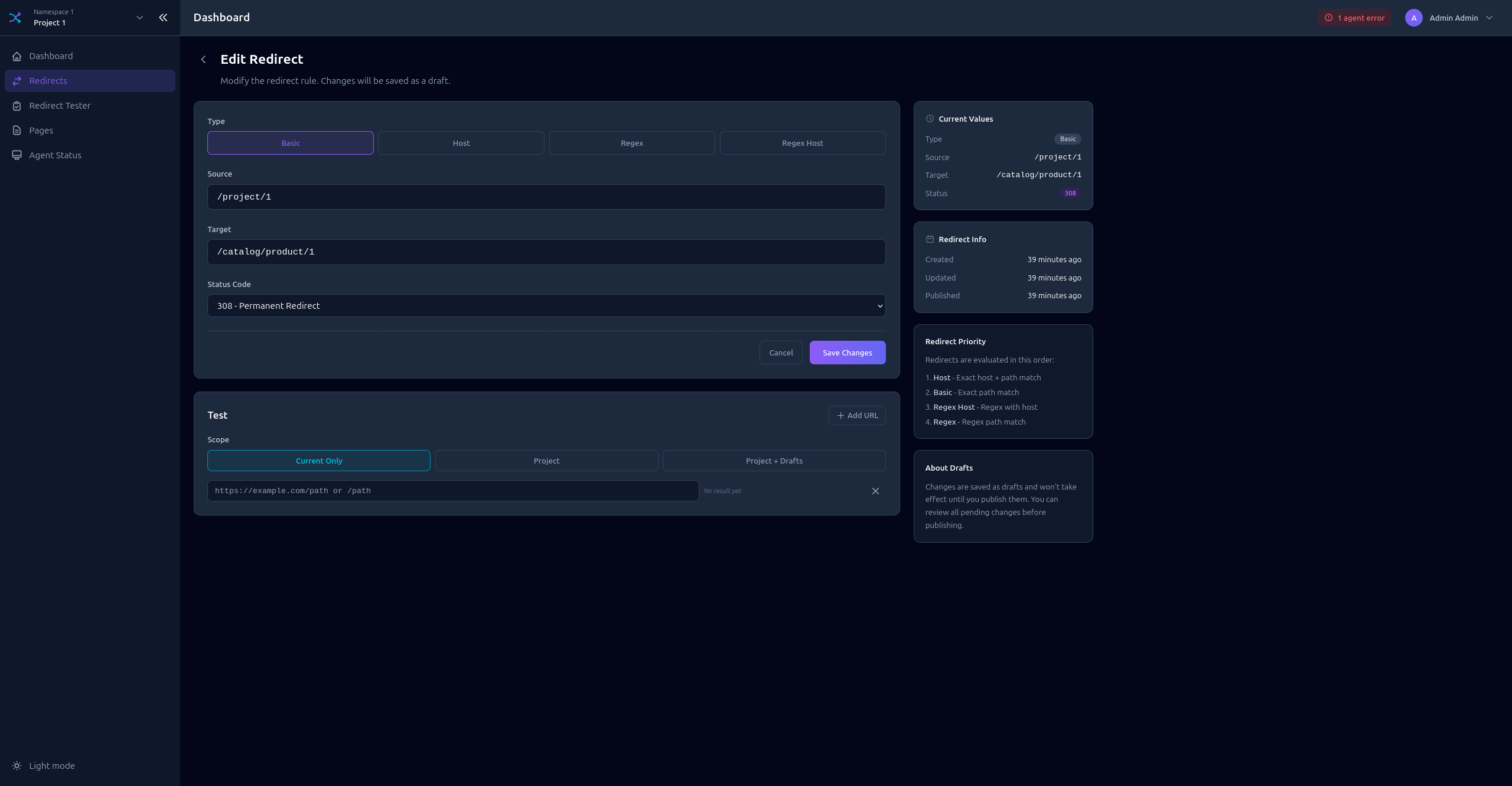
Viewing Changes
Click on a modified item to see the diff between published and draft versions.